Marketplace
Get the most from your Verint solutions with these downloadable assets offering the latest innovations
This plugin provides a configuration wrapper to Application Insights and also adds logging for key events.
Tracked events and exceptions:
User events:
EventsOnAfterLockout, EventsOnAfterCreate, EventsOnBeforeDelete, EventsOnAfterAuthenticate
GroupRoleMembers:
EventsOnAfterCreate
GroupMembers:
EventsOnAfterCreate, EventsOnAfterUpdate, EventsOnAfterDelete
Price: FREE
Installation Instructions:
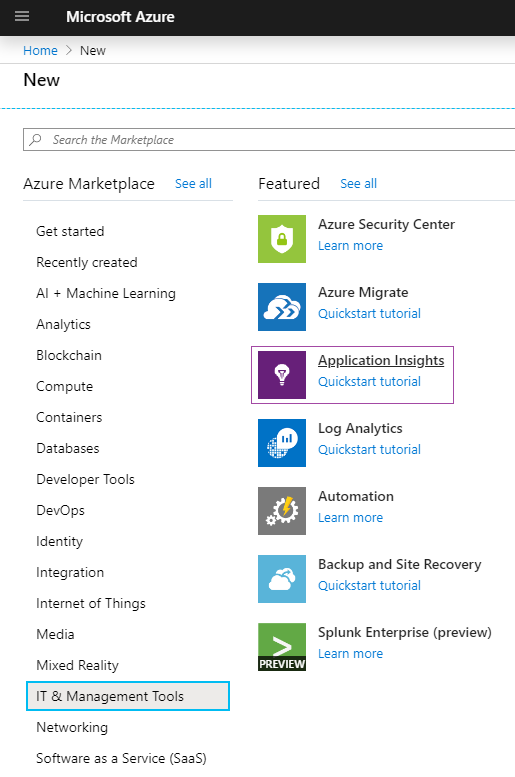
1. In Microsoft Azure create a new resource of Application Insights
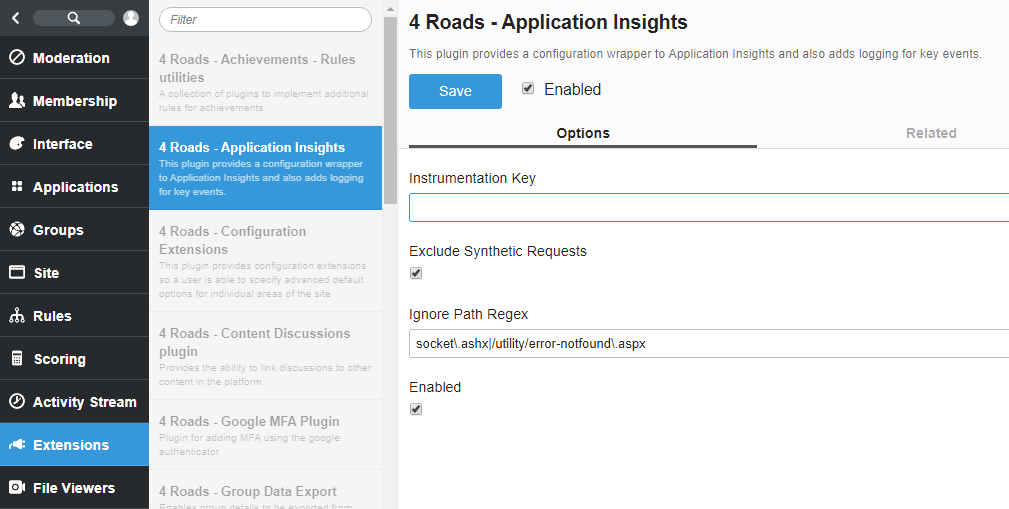
2. Once created take the “Instrumentation Key” and place it into the Application Insights Telligent plugin:
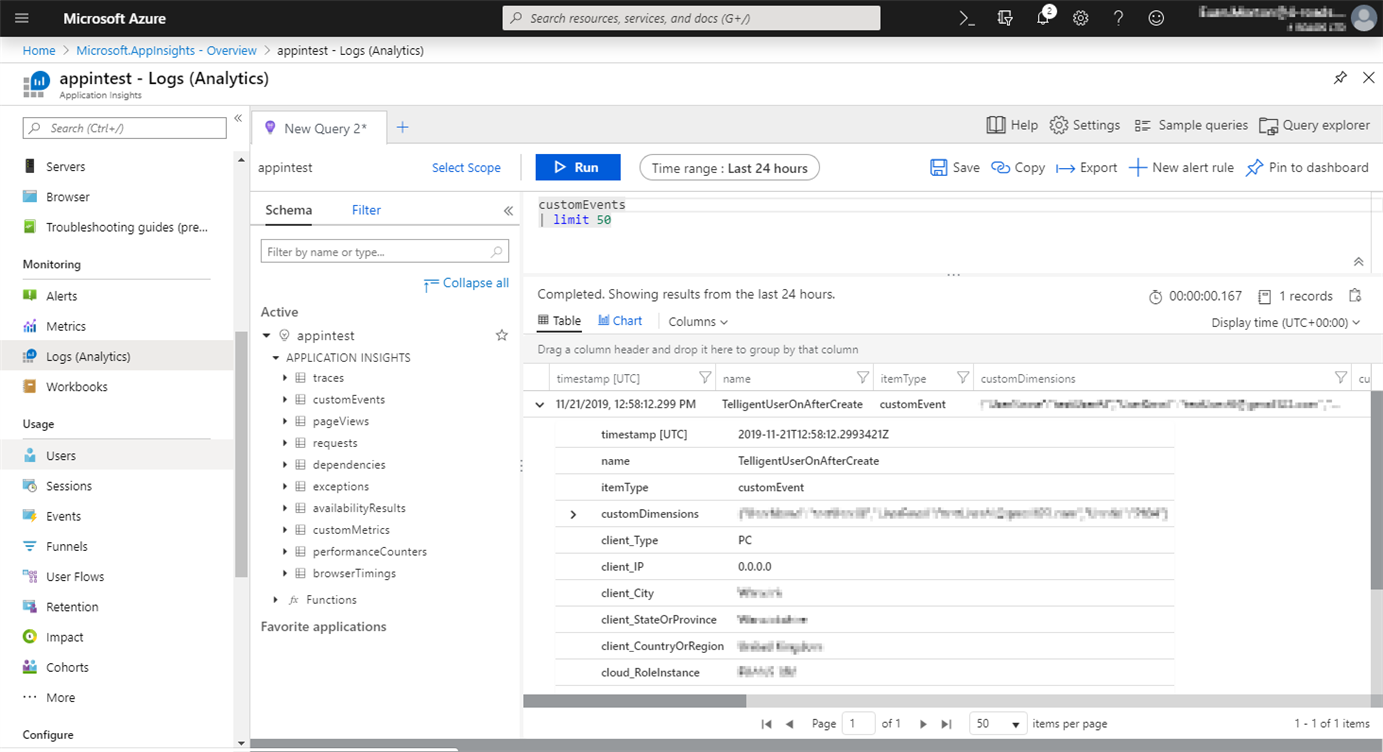
3. These logged events can be found in the side menu of Application Insights on Azure:
Monitoring -> Logs (Analytics)
Developer:
Plugin is extensible to track custom events
To track new event inherit from 'IApplicationInsightsApplication' and initialise event.
public class DefaultApplicationTracing : IApplicationInsightsApplication, IPlugin
{
    private IApplicationInsightsPlugin _mainPlugin;

    public void Initialize()
    {
        _mainPlugin = PluginManager.GetSingleton<IApplicationInsightsPlugin>();

        if (_mainPlugin.TelemetryClient != null)
        {
            var user = Apis.Get<IUsers>();

            user.Events.AfterCreate += EventsOnAfterCreate;
Then define event as method:
private void EventsOnAfterCreate(UserAfterCreateEventArgs userAfterCreateEventArgs)
{
    try
    {
        _mainPlugin.TelemetryClient.TrackEvent(
            "TelligentUserOnAfterCreate",
            new Dictionary<string, string>
            {
                {"UserId", userAfterCreateEventArgs.Id.ToString()},
                {"UserName", userAfterCreateEventArgs.Username},
                {"UserEmail", userAfterCreateEventArgs.PrivateEmail},
            });
    }
    catch (Exception e)
    {
        Apis.Get<IEventLog>().Write("Application Inisights Failed: " + e, new EventLogEntryWriteOptions() {Category = "Logging", EventType = "Error"});
    }
}